 how-to
How to Integrate Technology Into Classroom Furniture
Last Updated: November 6, 2026
Quick Summary
Integrate technology into classroom furniture by planning the room around teaching tasks, device use, power access, storage, and clear walkways. Sketch the layout and mark outlets before choosing furniture, then select flexible tables and chairs that support different activities and keep devices accessible.
- List where students will use laptops or tablets and where teachers will use interactive boards.
- Test whether students can form small groups without blocking walkways or losing sight of the interactive board.
- Place charging carts or storage near devices’ usual work areas and keep cords away from walkways.
- Label device storage by class or group and agree on a return routine.
Table of Contents
- Step 1: Plan for Integrating Technology Into Classroom Furniture
- Step 2: Choose Flexible Classroom Furniture for Technology
- Step 3: Coordinate Classroom Furniture With Charging Stations and Storage
- Frequently Asked Questions
Step 1: Plan for Integrating Technology Into Classroom Furniture
Integrating technology into classroom furniture works best when the room plan starts with teaching needs, not furniture catalogs. Classroom furniture is the set of desks, tables, and work surfaces students and teachers use. This guide from Think Board Resurfacing & Campus Solutions shows how to plan around devices, movement, and shared work.
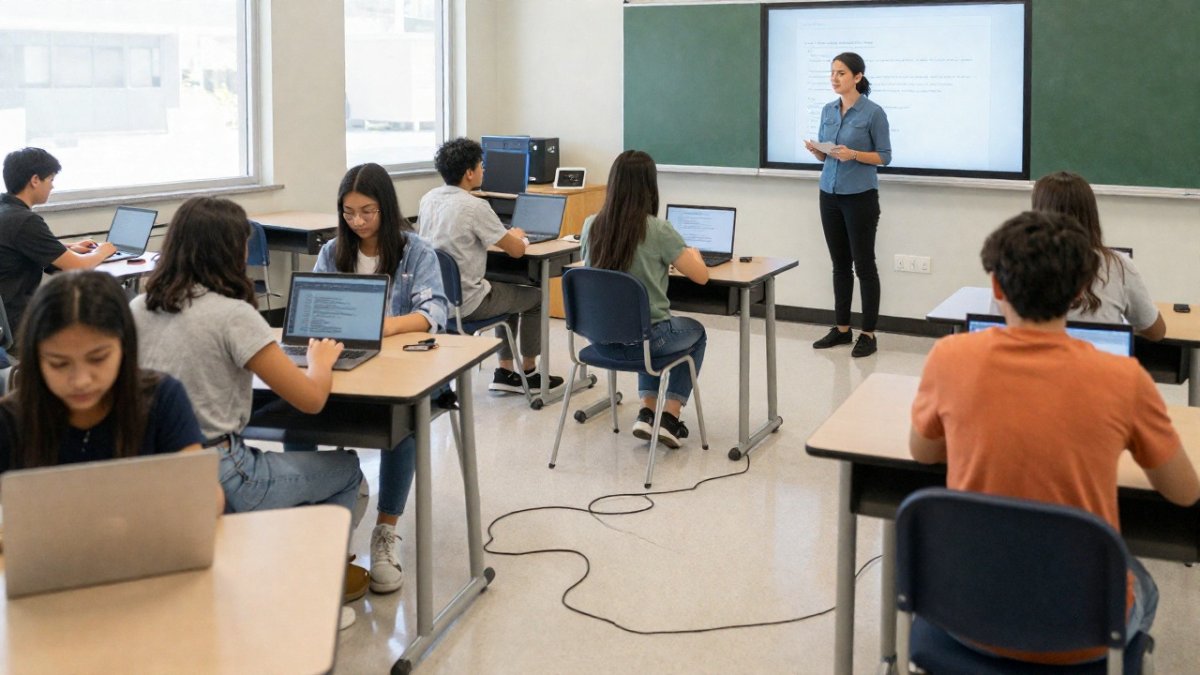
First, list the tasks the room must support:
- Where will students use laptops or tablets?
- Which activities need small-group tables?
- Where should teachers use interactive boards?
- How will students reach power and store devices?
A common mistake is to choose tables before mapping device use. Sketch the classroom layout, mark outlets and walkways, then match each zone to a task. For broader planning, review the [U.S. Department of Education’s National Educational Technology Plan | ed.gov].
Step 2: Choose Flexible Classroom Furniture for Technology
Flexible classroom furniture for technology should support more than one teaching style. Movable tables and chairs let staff shift from direct teaching to group work without making devices harder to reach.
Start with a simple room test: can students move into small groups, see the interactive board, and use laptops without blocking walkways? Choose durable surfaces and layouts that staff can reset with ease. The [U.S. Access Board’s accessibility guidance | access-board.gov] can inform inclusive room planning (ADA Accessibility Standards).
Step 3: Coordinate Classroom Furniture With Charging Stations and Storage
Classroom furniture with charging stations works only when power, storage, and device routines fit together. Plan charging carts or storage near the devices’ usual work areas, and keep cords away from walkways.
| Planning task | Check before setup |
|---|---|
| Device use | Laptops, tablets, or shared devices |
| Power access | Outlets and charging location |
| Storage | Cart, cabinet, or assigned space |
| Room flow | Clear paths and group areas |
Label storage by class or group, then agree on a return routine. For campus surfaces that support teaching alongside furniture changes, Think Board board and wall resurfacing can help put existing boards and walls back to work. See [U.S. Department of Education guidance on accessible technology | ed.gov] when reviewing device access.
Request a Campus Walkthrough / Sample Brochure to plan a room around the devices, furniture, and teaching tasks it needs to support.
Frequently Asked Questions
How can classroom furniture support technology integration?
Classroom furniture can place devices, power access, and shared displays where students and teachers need them. Start by mapping common activities, such as individual laptop work, small-group projects, and whole-class instruction. Then choose layouts and furniture that support those activities while keeping cables organized and walkways clear. Writable boards and collaboration walls can add shared work surfaces without requiring every activity to happen at a desk.
What are some examples of technology integration in the classroom?
Examples include students using laptops at movable tables for group work, a teacher presenting from a station near an interactive board, and tablets stored in a designated charging area between lessons. A classroom can also pair shared digital displays with writable collaboration surfaces so groups can move between screen-based research and handwritten planning. These are planning examples, not claims about completed projects.
How can schools keep charging cables and devices organized?
Assign devices a consistent storage location and plan charging access around where students use them. Keep cables secured along furniture or within designated cable-management features rather than across walking routes. Label storage locations if students share devices, and test the routine during a normal class period. Check that charging carts or stations fit the room layout and do not block access to desks, doors, or shared work areas.